
I’m not a native English speaker. I make grammar mistakes, and I write convoluted sentences. This can muddy my message. I can nag colleagues and friends to proofread my prose, but I want to be mindful of their time. I decided to find a tool to help me write better English instead.
After a quick search, I reviewed four solutions: DeepL Write, Hemingway, LanguageTool, and Grammarly. Another alternative I didn’t explore was running an LLM locally or on a server because of the hardware requirements.
Let’s explore what problems I’m trying to solve, the level of privacy and security I can expect from these tools, and how well they perform according to my subjective gut feeling.
Who and why
I’m looking for a solution to two main problems: my grammar can be incorrect, and my sentences can be convoluted. I want a solution that can correct my grammar and teach me why I was wrong. I want a solution that can find style issues and help me make my texts simpler to read. But there’s one pitfall I want to avoid: I want to avoid the solution taking over the tone and style of the writing to the point it doesn’t read like me anymore.
I’m not especially interested in a solution that works in languages other than English. A mobile app is a plus but is not a strict requirement. I’m not interested in a phone keyboard solution: it would be too invasive since I type confidential or sensitive data on my phone.
As a privacy-minded person, I would be interested in a solution that runs locally to use for personal or confidential notes. But this is not a strict requirement, as long as the service provider gives me good guarantees that my data is safe. Those guarantees include:
- My data is not sold
- My data is shared with as few third parties as possible
- Data is encrypted in transit and at rest
- There is access control to limit what employees can access my data
- The service provider is GDPR-compliant
Of course, relying on a cloud-based solution means I would exclusively use the tool on documents I intend to make public.
| Solution | Pricing (billed annually) | Headquarters | Open Source |
|---|---|---|---|
| DeepL Write | Free | Germany | No |
| Hemingway | $8.33 / month (and free tier) | USA | No |
| LanguageTool | €4.99 / month (and free tier) | Germany | Non-Premium is OSS |
| Grammarly | €12 / month (and free tier) | USA | No |
Testing the tools
To test the tools, I pasted the introduction of an article I already published on this blog: Tracking what works, not people.
DeepL Write
DeepL is mainly known for its Translator product. The organisation is working on DeepL Write, a product to “write clearly, precisely, with ease.”
In true DeepL fashion, the user interface is delightfully barebones: you immediately know what to do and what to expect. One panel on the left allows you to paste your text, and DeepL will fill the panel on the right with the result.
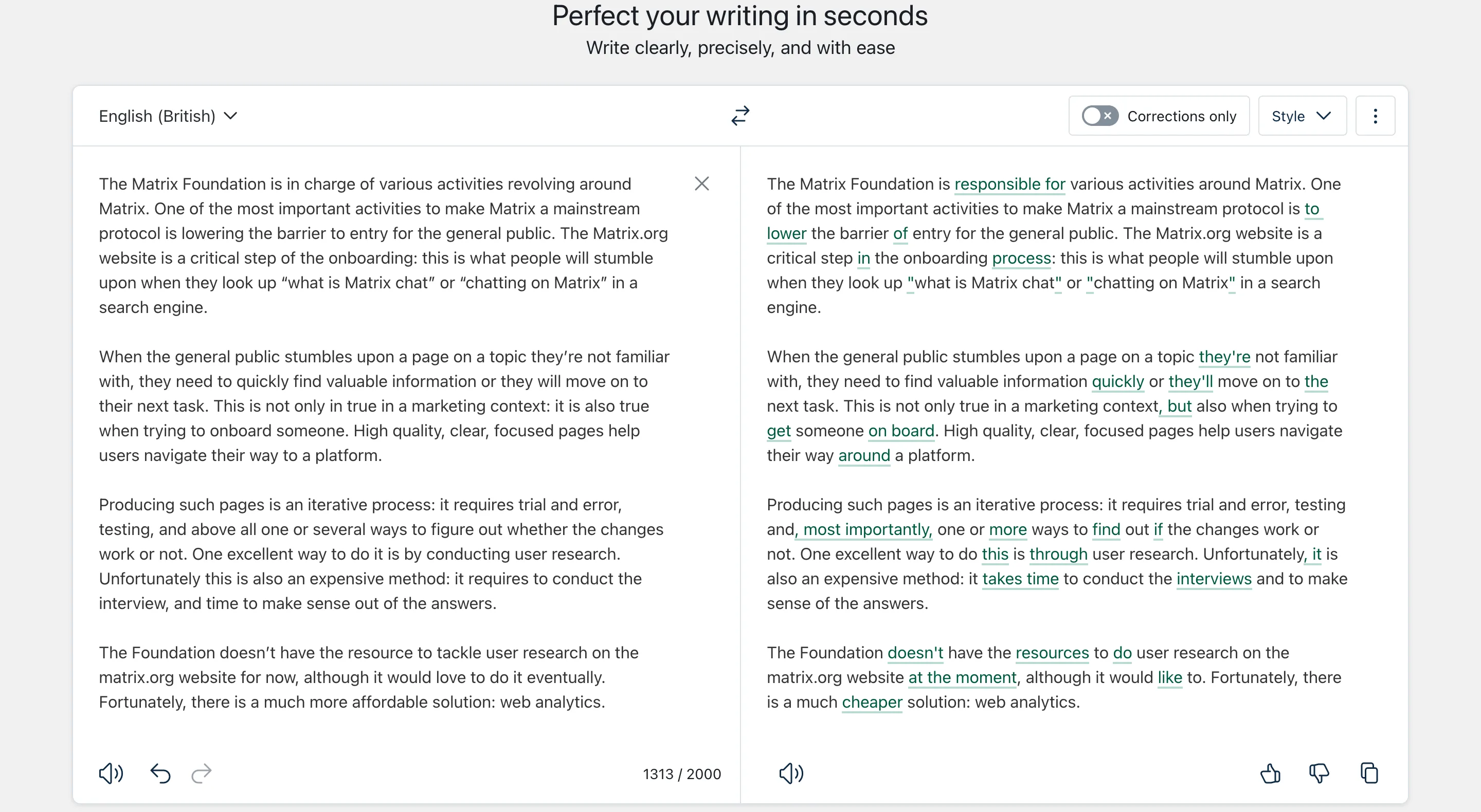
By default, DeepL seems only to check the grammar. The curly quotes and apostrophes seem to perturb it a little, but it finds the correct symbol to use instead.
A menu allows us to change the style of the text to make it simpler, more suited for business, academic, or technical writing, or adopt a casual style.
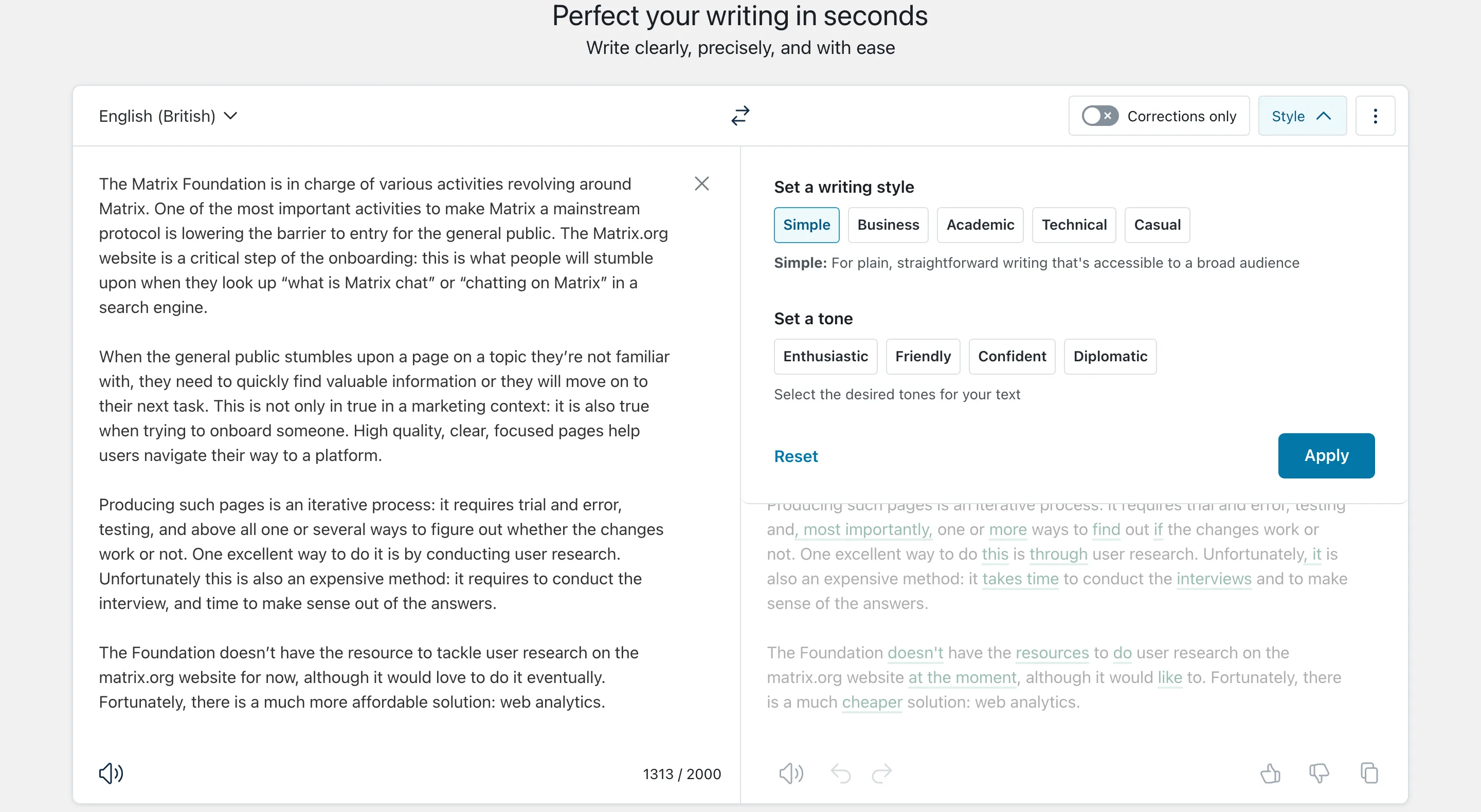
In my case, I’m particularly interested in the “simple” style: I want to reach broad audiences with easy-to-understand and correct sentences. The result is excellent:
The Matrix Foundation oversees various activities related to Matrix. One of its most important goals is to make Matrix a mainstream protocol by reducing the barriers to entry for the general public. The Matrix.org website plays a critical role in this onboarding process, as it is often the first point of contact for those searching for information on ‘what is Matrix chat’ or ‘chatting on Matrix’ through search engines.
When the general public comes across a page on an unfamiliar topic, they need to quickly find valuable information. Otherwise, they will move on to their next task. This is true not only in a marketing context but also when trying to onboard someone. High-quality, clear, and focused pages help users navigate their way to a platform.
Producing such pages is an iterative process. It requires trial and error, testing, and above all, a way or several ways to figure out whether the changes work or not. Conducting user research is an excellent way to achieve this. Unfortunately, this method is expensive as it involves conducting interviews and taking time to make sense of the answers.
The Foundation does not have the resources to tackle user research on the matrix.org website at present, although it would love to do so eventually. Fortunately, there is a much more affordable solution: web analytics.
My only regret here is that DeepL fixes the problem without explaining much about what it did. It’s a nice companion to improve the style and grammar of your text, but it’s not the best to learn.
Hemingway
Hemingway has been around since 2013. It used to be a local text editor highlighting the complexity of text and other “high-level” style issues, such as the excessive usage of adverbs. The online version I’m evaluating offers suggestions to fix the style issues detected by the editor.
After signing up for the free trial, I saw several sentences highlighted with different colours corresponding to different style issues.
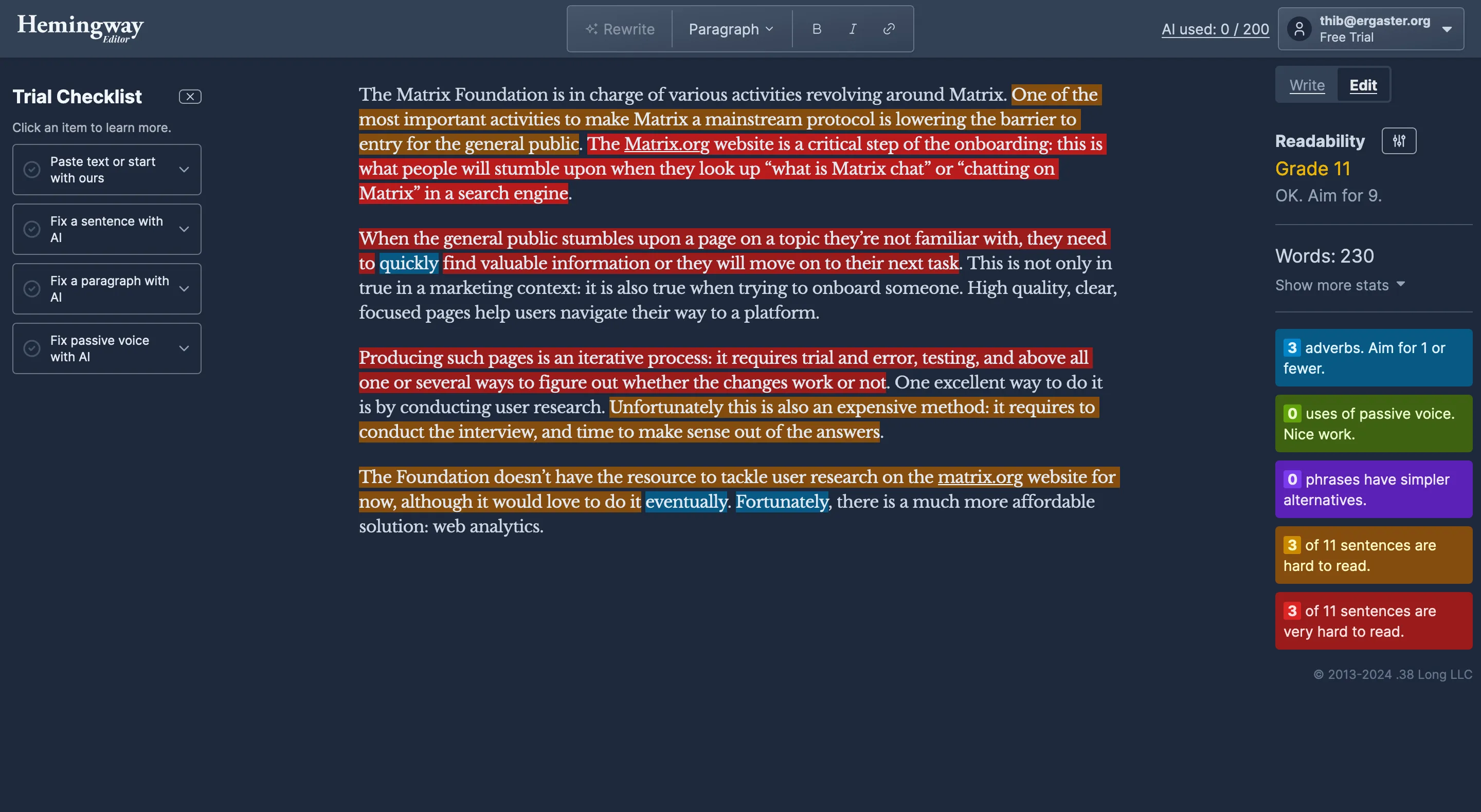
Clicking a sentence opens a popup to tell me what is wrong with it and offer to fix it with AI.
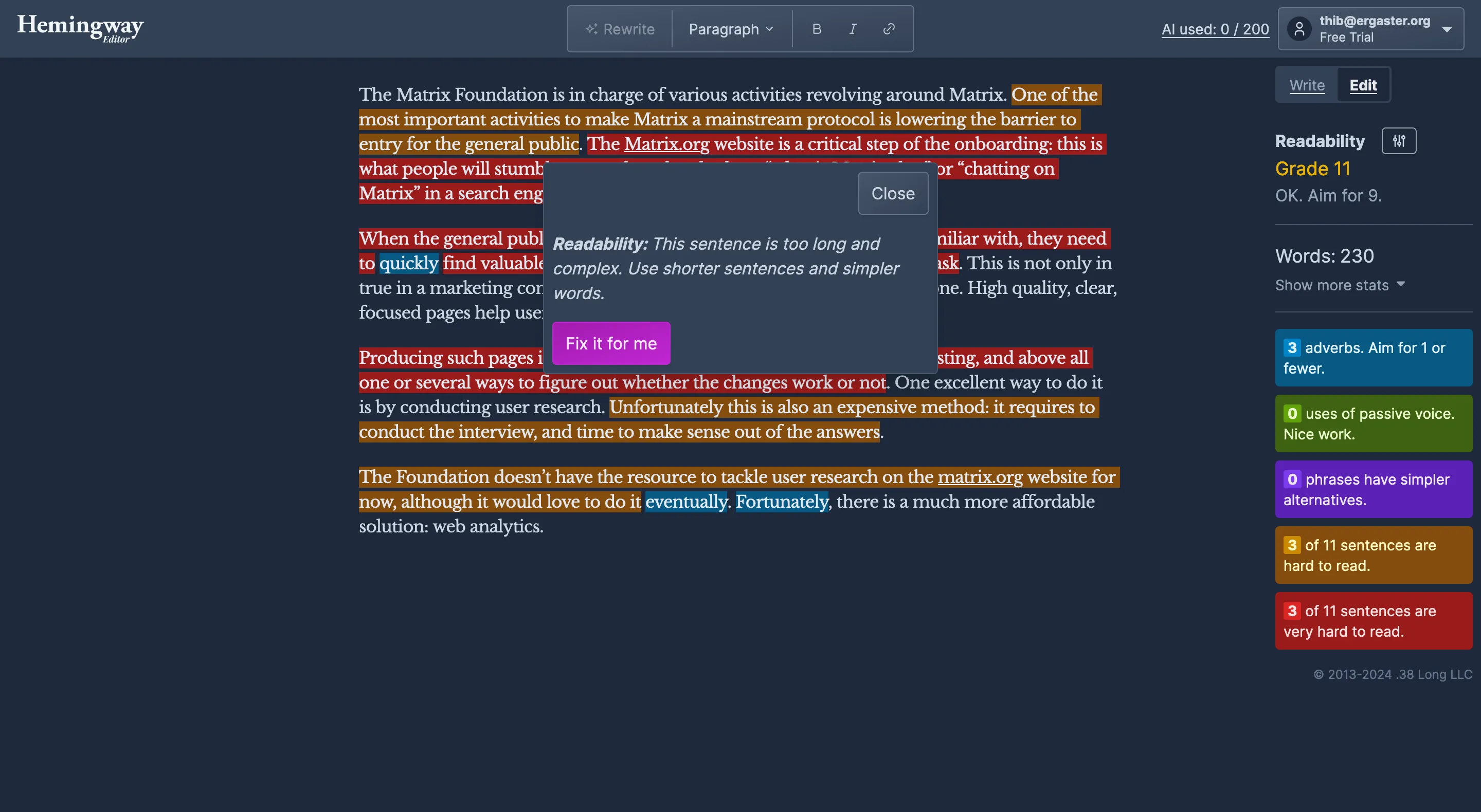
The suggestion offered by the tool simplifies the sentence by breaking it into several. But the result reads robotic to me.
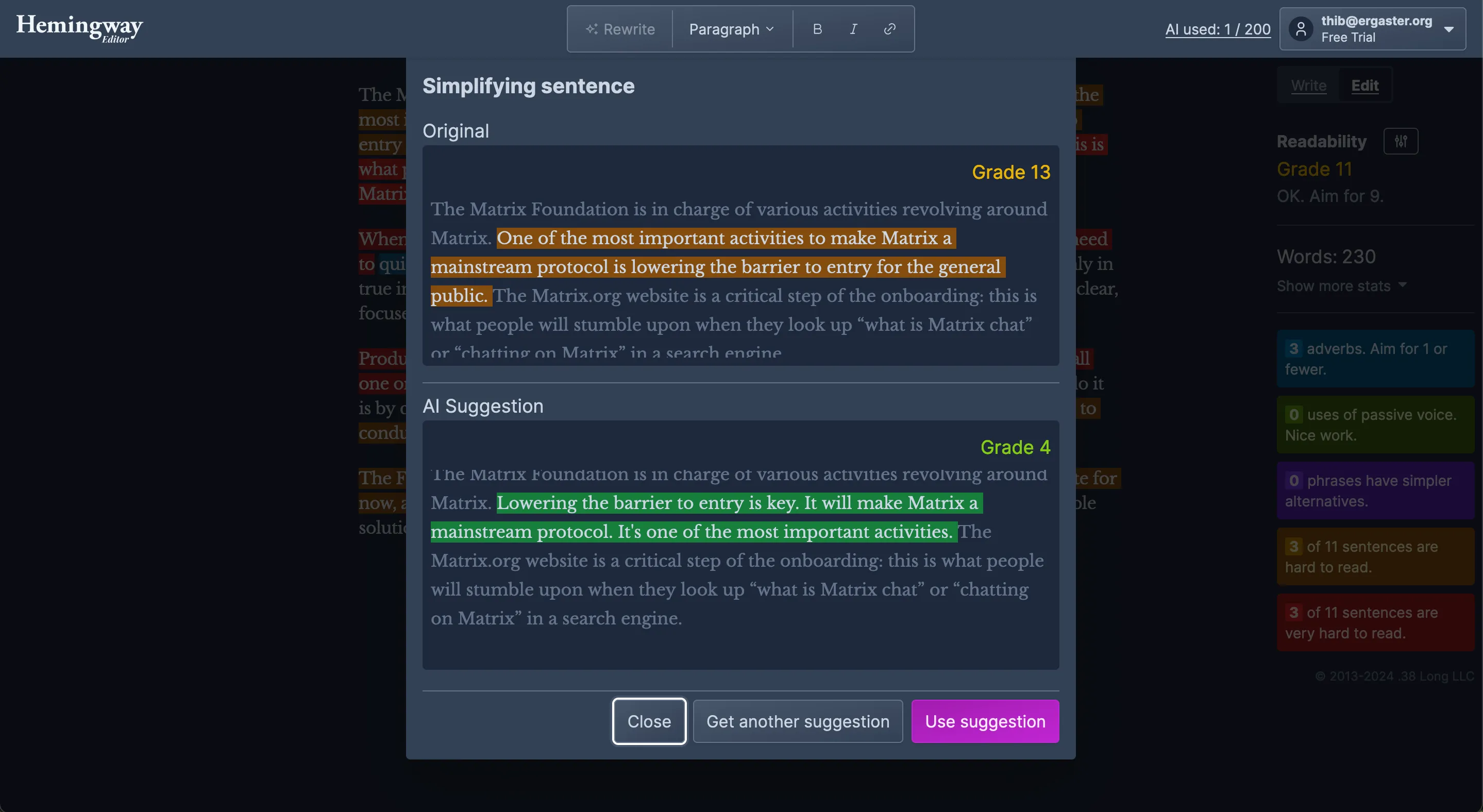
Sometimes, the suggestions are excellent and make the text much easier to understand.
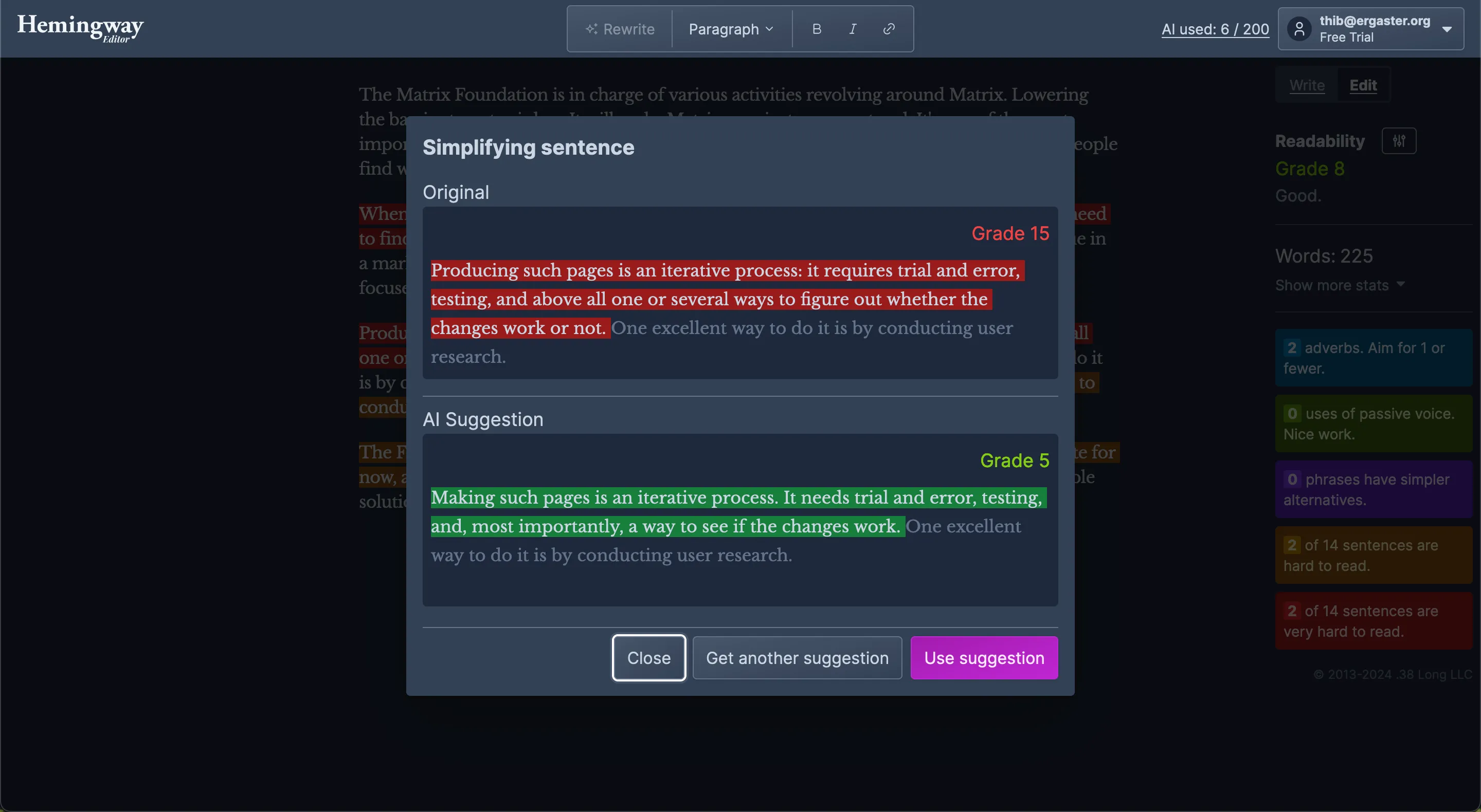
Sometimes, the suggestions are entirely off.
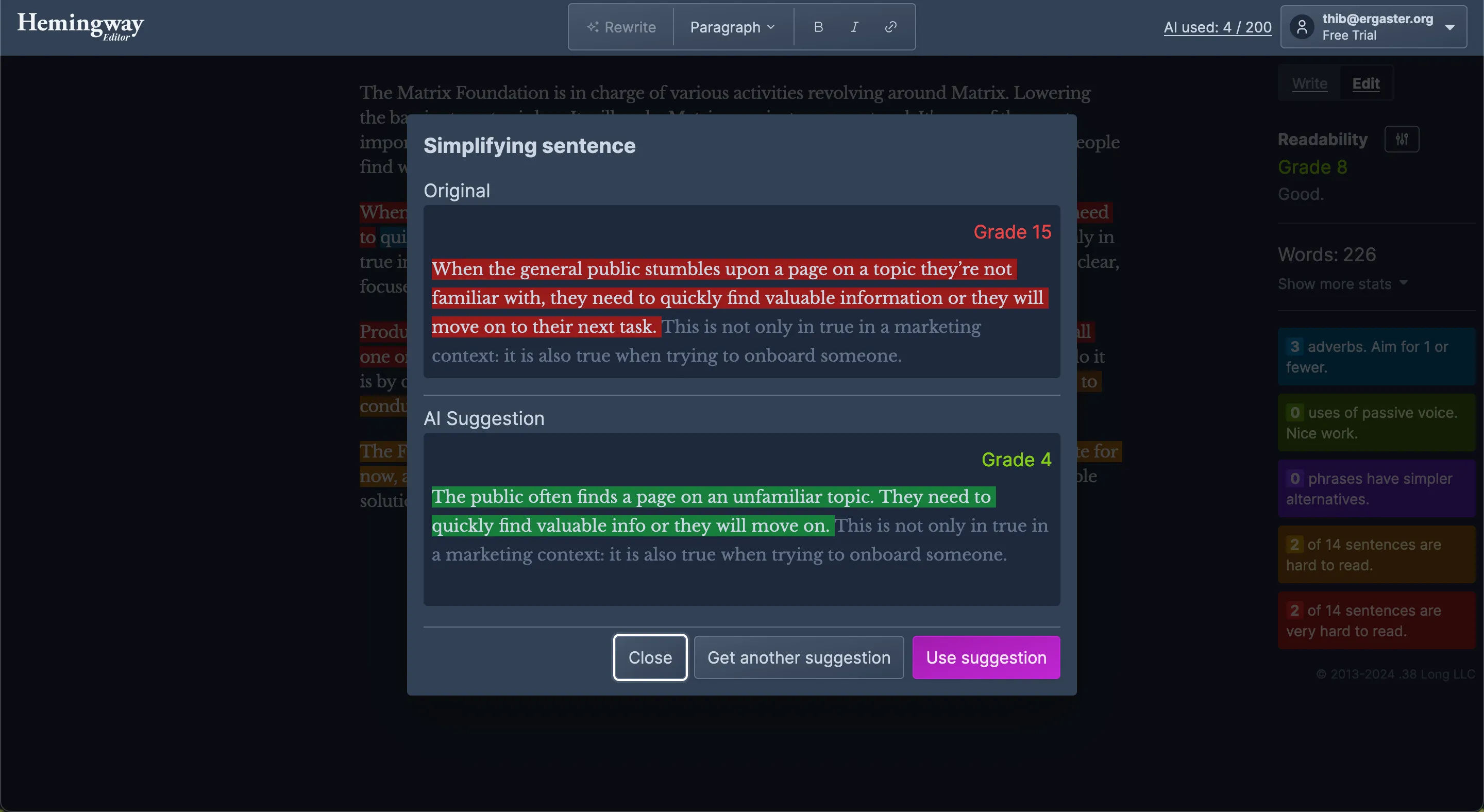
The result after using Hemingway is:
The Matrix Foundation is in charge of various activities revolving around Matrix. Lowering the barrier to entry is key. It will make Matrix a mainstream protocol. It’s one of the most important activities. The Matrix.org website is a critical step of the onboarding. It’s what people find when they look up “what is Matrix chat” or “chatting on Matrix” in a search engine.
When the general public stumbles upon a page on a topic they’re not familiar with, they need to find valuable information or they will move on to their next task. This is not only in true in a marketing context: it is also true when trying to onboard someone. High quality, clear, focused pages help users navigate their way to a platform.
Making such pages is an iterative process. It needs trial and error, testing, and, most importantly, a way to see if the changes work. One excellent way to do it is by conducting user research. Unfortunately, this is also expensive. It requires doing the interview and making sense of the answers.
The Foundation doesn’t have the resources to tackle user research on matrix.org for now. But, it would love to do it eventually. Fortunately, there is a much more affordable solution: web analytics.
Overall, the key value proposition of Hemingway resides in its ability to spot issues, and it does a decent job. The suggestions are helpful half of the time, and the tool doesn’t explain why it’s suggesting some changes. Interestingly, in the text I pasted Hemingway didn’t spot the mistake in “This is not only in true in a marketing context”.
LanguageTool
LanguageTool offers a free tier that consists of grammar checking. It does the job, and it’s free! Free as in “zero cost,” but also open source and self-hostable! Awesome!
But I’m after a tool that will help me to write more clearly. I want style suggestions. Those are only accessible in the premium tier, which is not open source. After paying the fee, I stumbled upon this basic interface to paste my text.
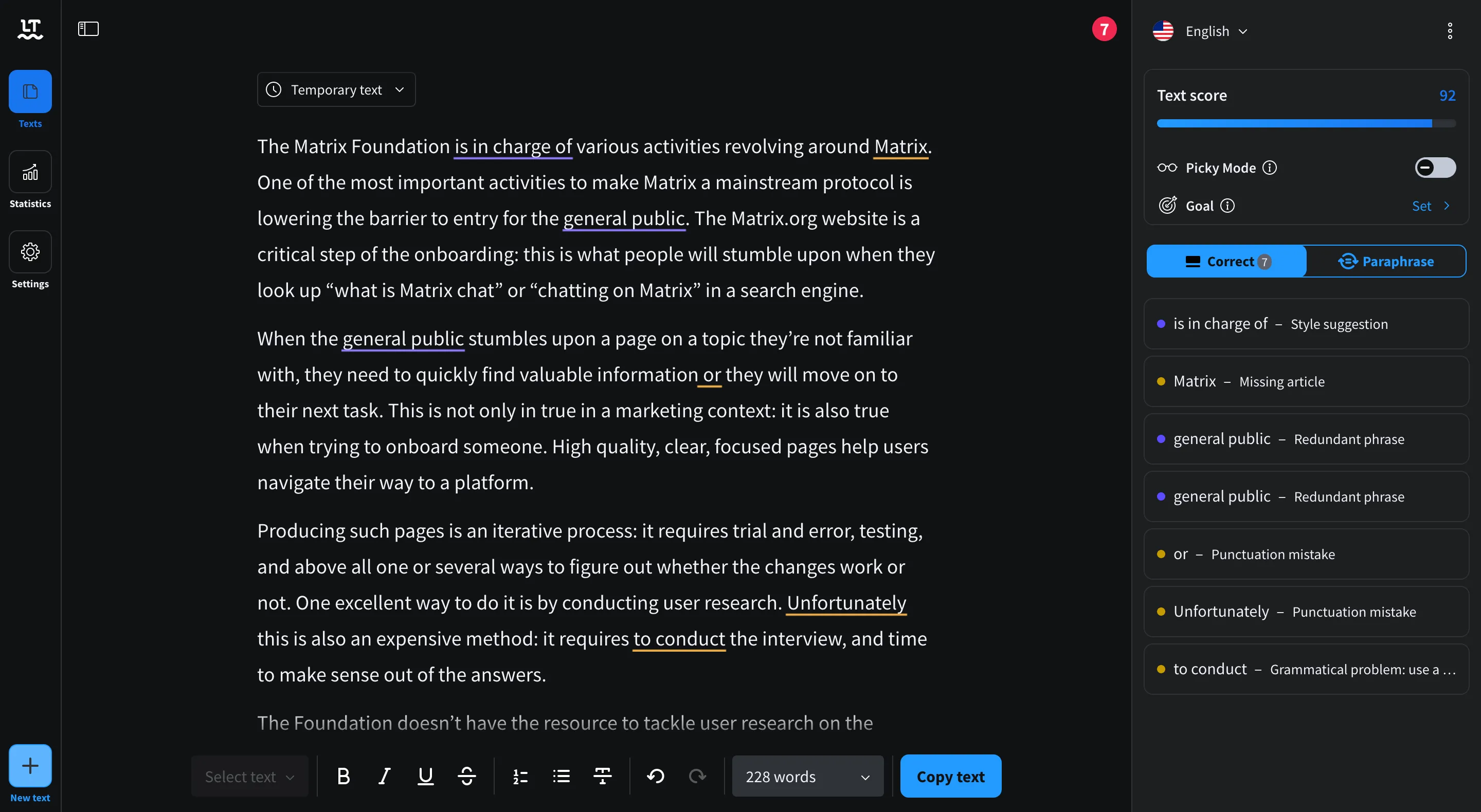
There are several suggestions, but they don’t all make sense for my use case. Some look like it’s only about paraphrasing. I can set a goal for my text: to sound confident and persuasive.
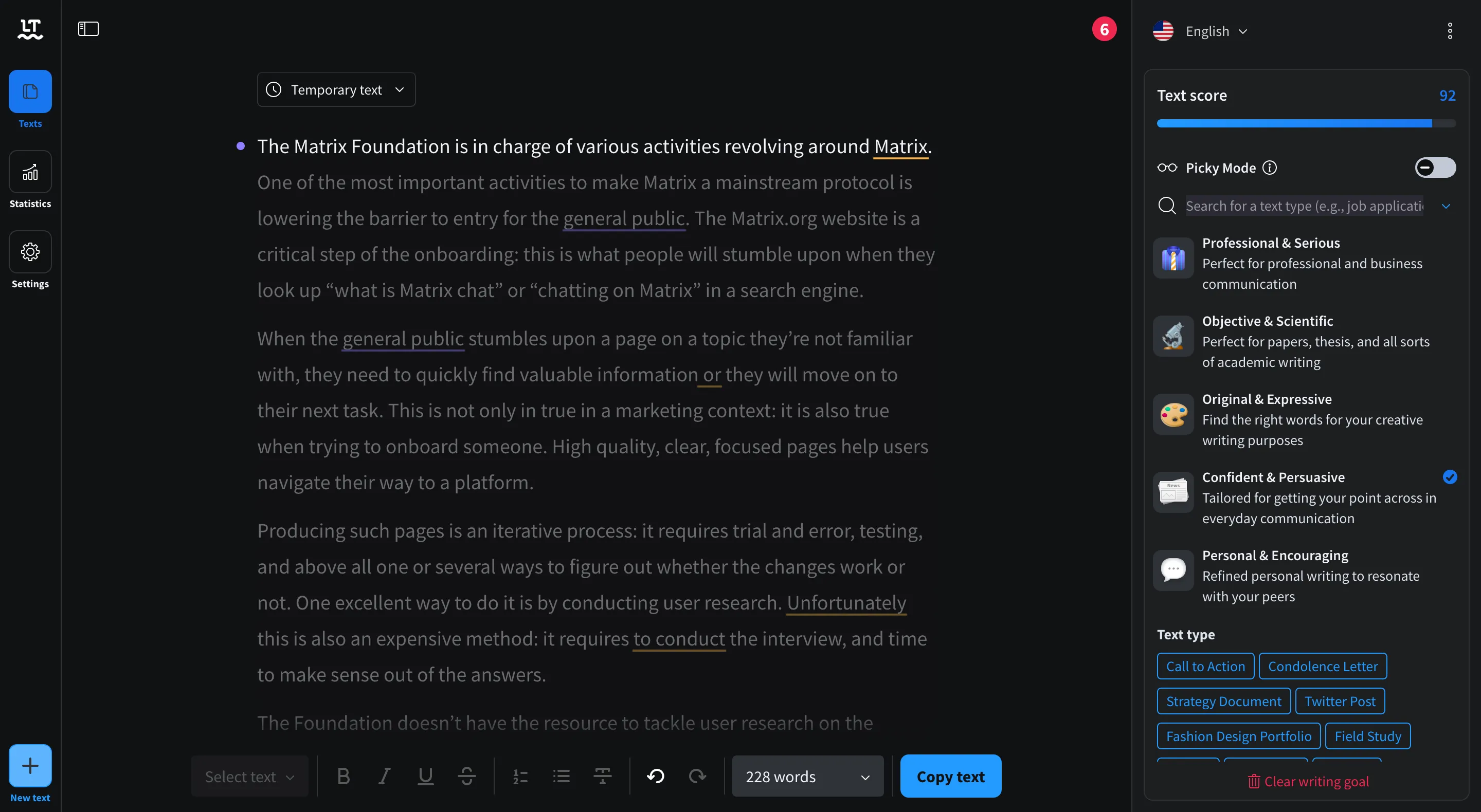
The list of suggestions shrinks. They’re all about grammar or minor style mistakes like word repetition. LanguageTool tells me what grammar rule I broke and gives a helpful suggestion to fix it.
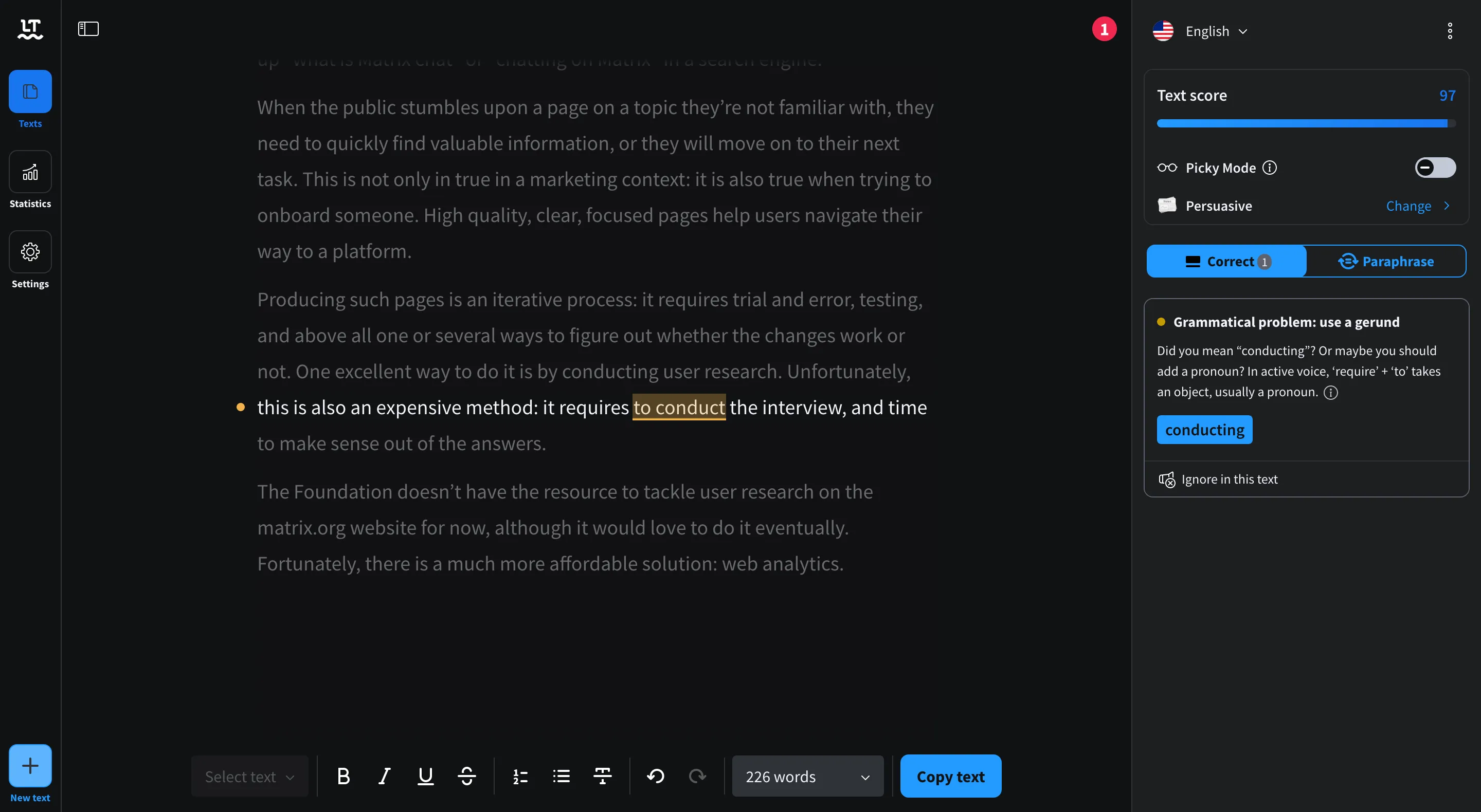
Once I’m done with the basic grammar, I can move on to the “Paraphrase” tab. To my great surprise, the tab is empty: I must select a sentence or word I want to paraphrase. I can’t select a paragraph.
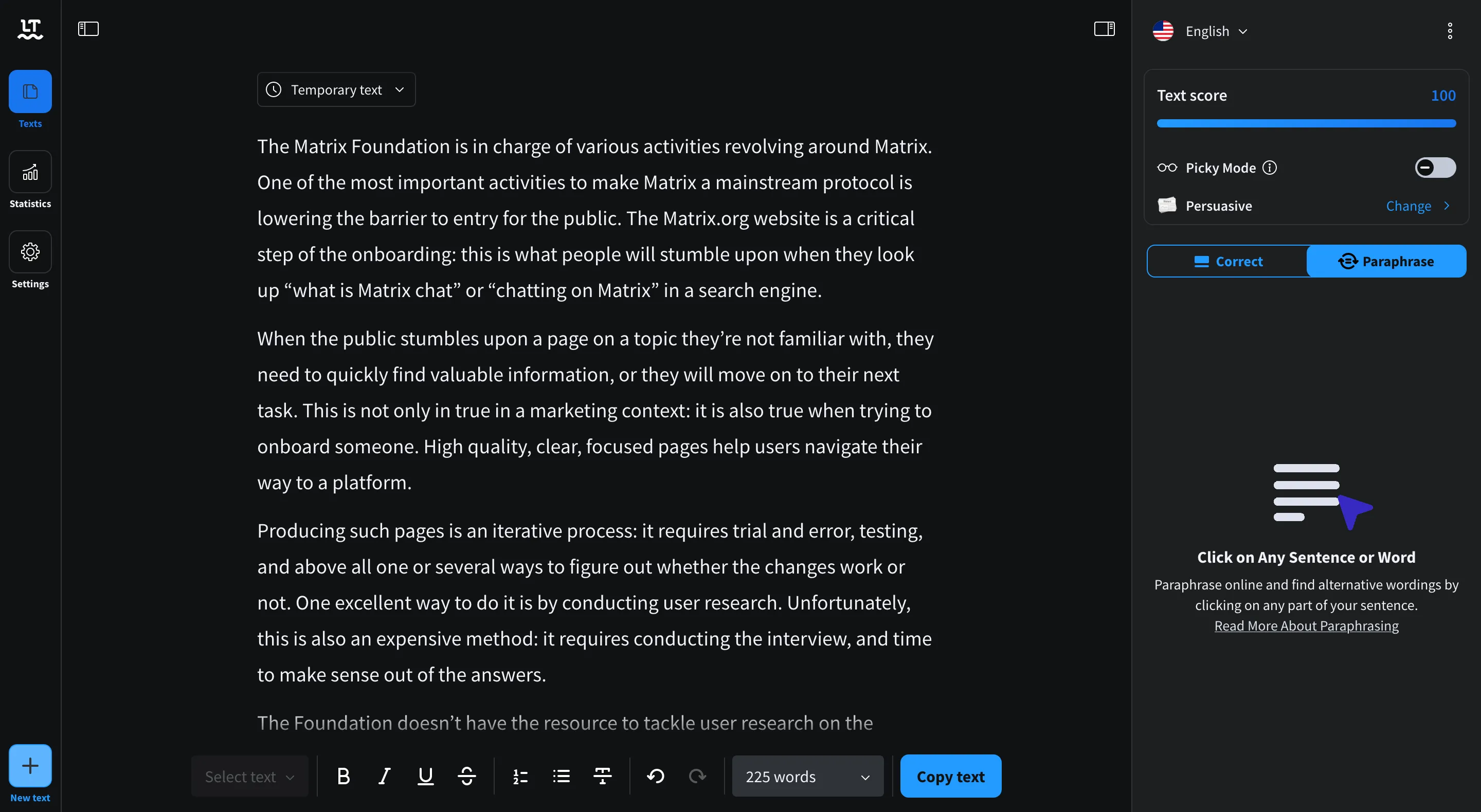
When going through the sentences, LanguageTool offers several suggestions for paraphrasing. Those suggestions do not use the style goal I had defined earlier. It’s a mixed bag of several styles. Some can be useful, but not necessarily. I don’t have high confidence in the tool overall. Worse: I need to select each sentence individually. This is unnecessarily tedious and unpleasant.
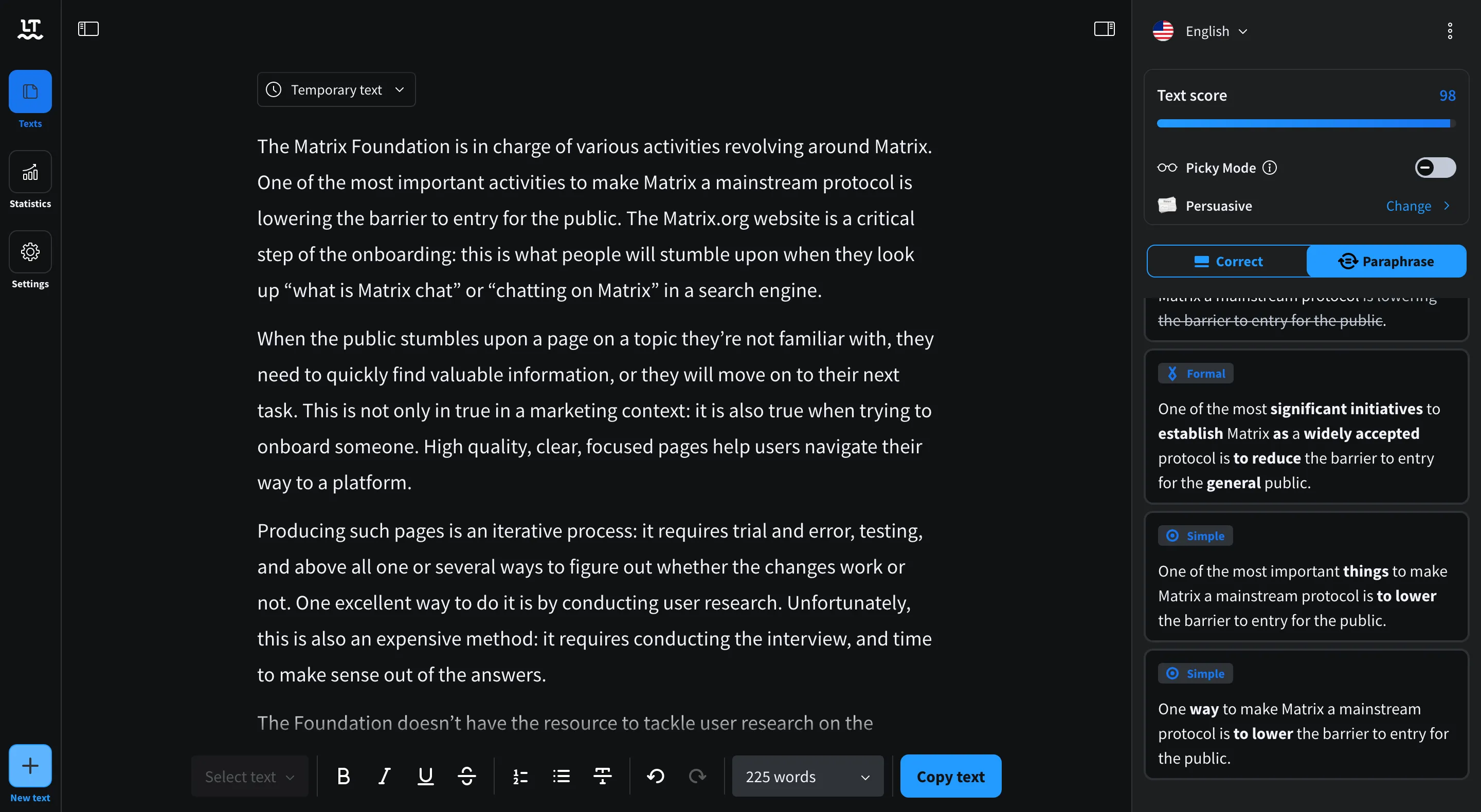
Similarly to Hemingway, LanguageTool didn’t spot the mistake in “This is not only in true in a marketing context”.
Grammarly
Grammarly strikes a good balance in terms of UI. It doesn’t clutter the window with unnecessary items but doesn’t hide what you need in the submenus. When landing on the page, it’s obvious where I need to paste my text.
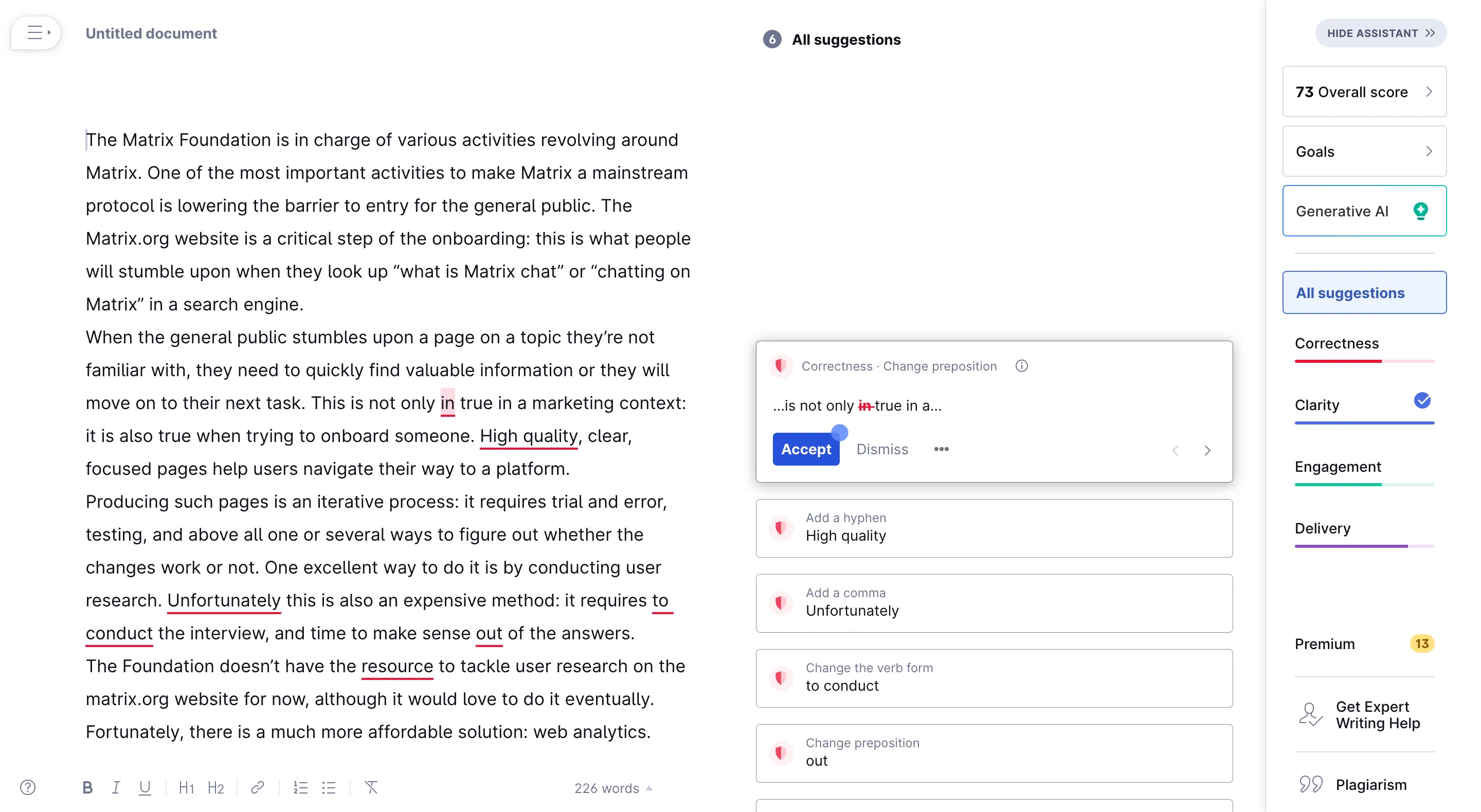
As soon as I paste the text, Grammarly asks me what I want to achieve and offers me several options.
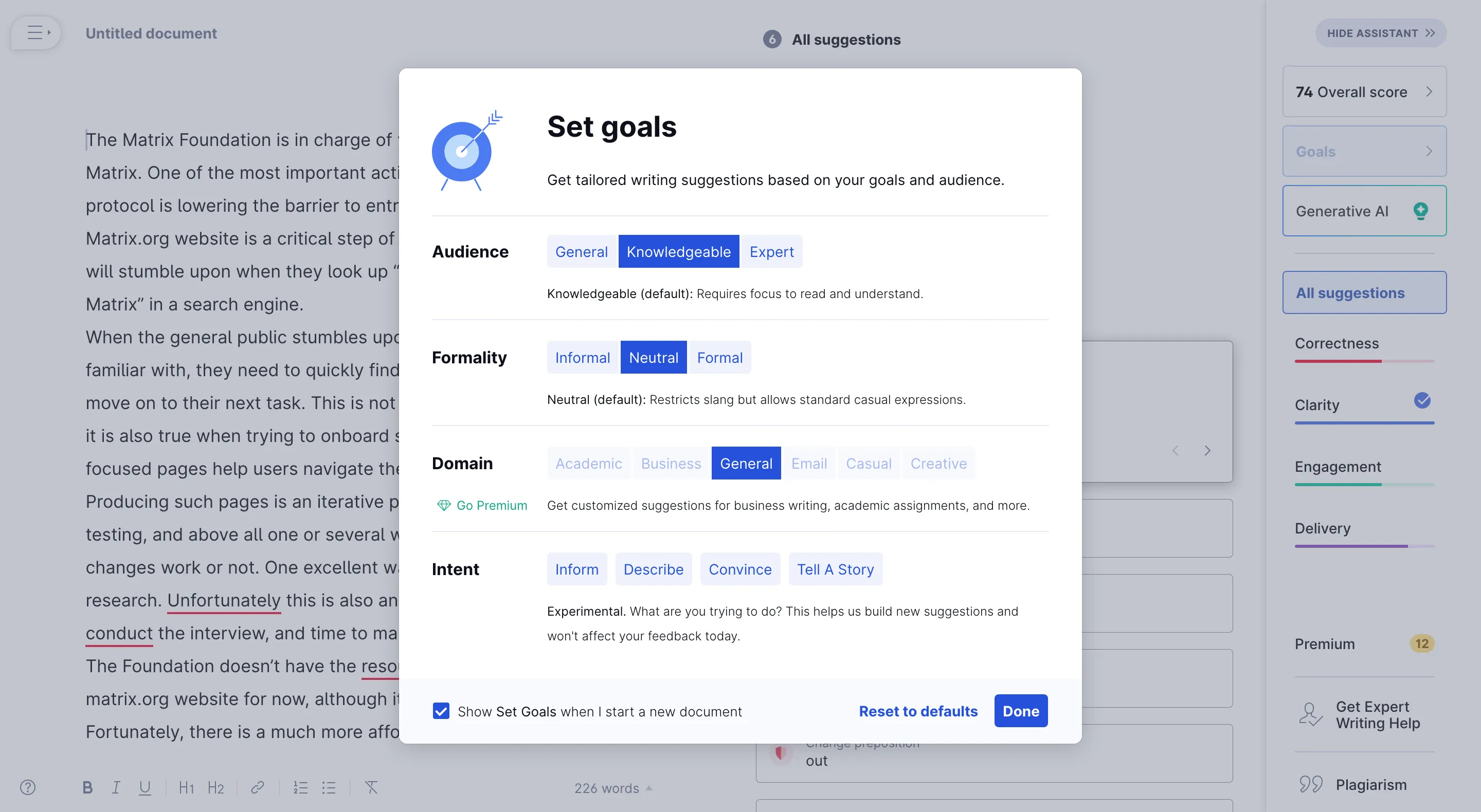
After setting my goals, I can start editing my text. Grammarly keeps my style and tone and focuses on the grammar mistakes first. It provides insights to help me understand what I got wrong.
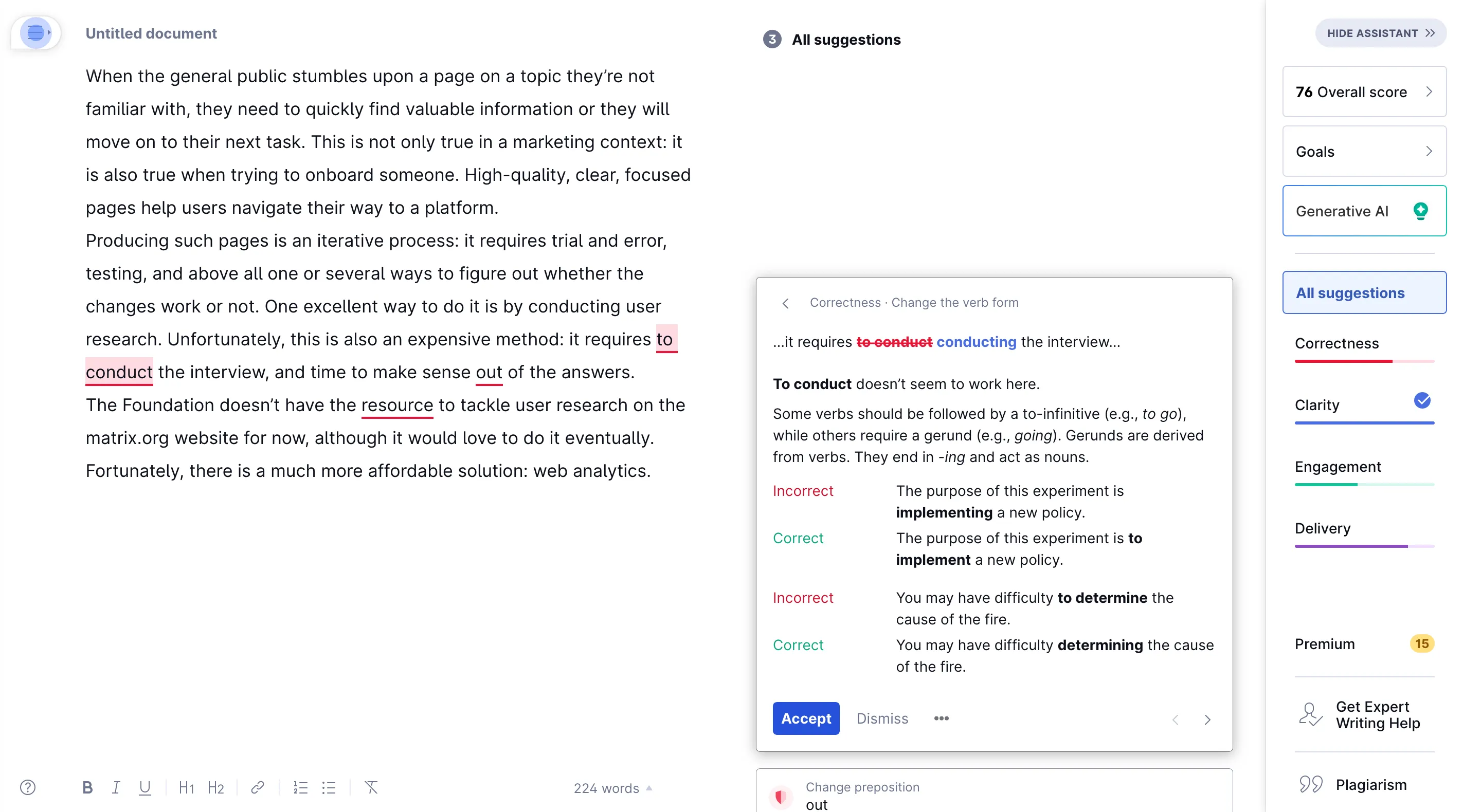
After I’m done with the grammar suggestions, Grammarly offers several suggestions to improve the clarity of the text itself. It explains whether the sentence looks awkward, is grammatically incorrect, or, more generally, why it’s unclear.
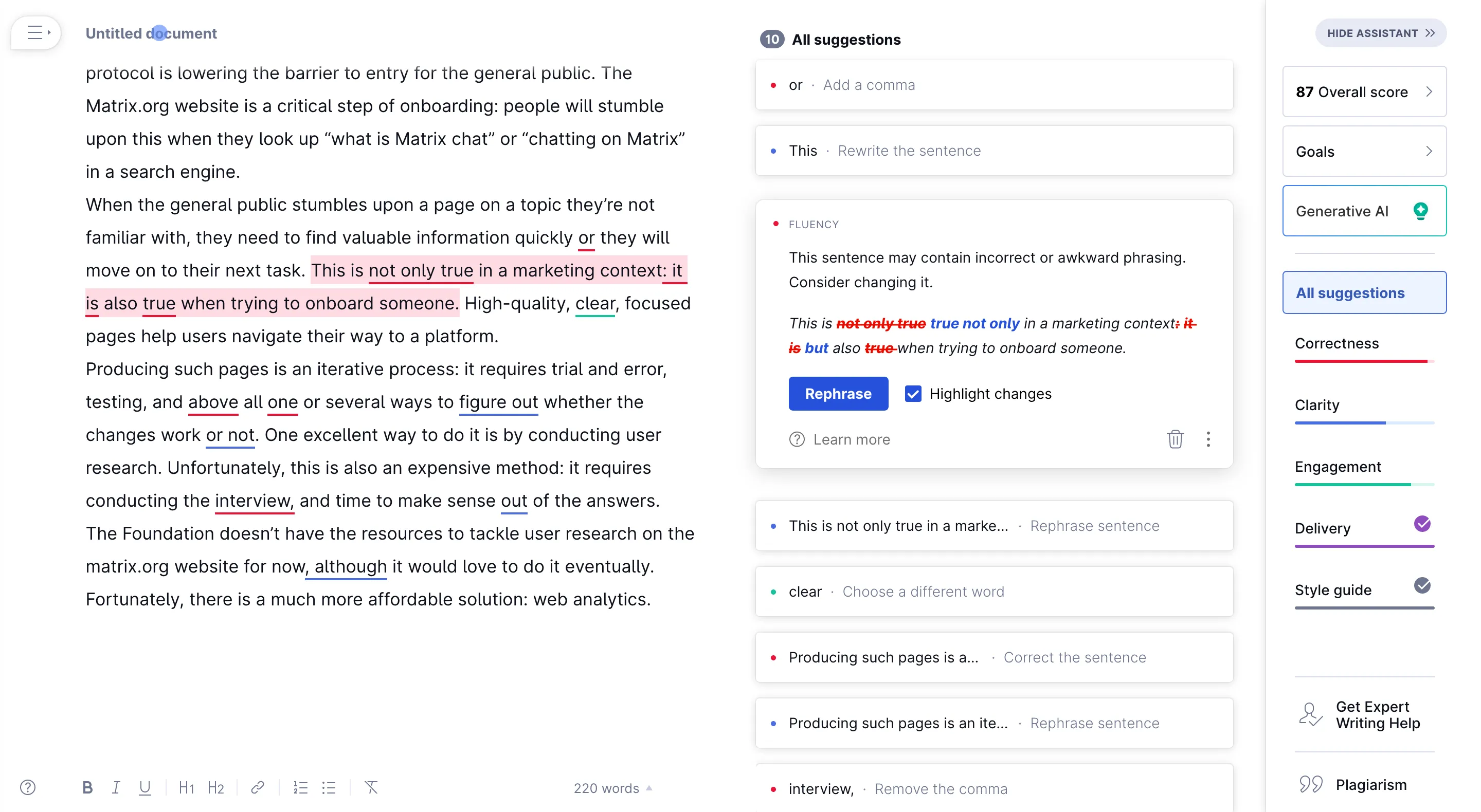
The result with Grammarly is
The Matrix Foundation is in charge of various activities revolving around Matrix. One of the most essential activities to make Matrix a mainstream protocol is lowering the barrier to entry for the general public. The Matrix.org website is a critical onboarding step: people will stumble upon it when they look up “what is Matrix chat” or “chatting on Matrix” in a search engine.
When the general public stumbles upon a page on an unfamiliar topic, they need to find valuable information quickly, or they will move on to their next task. This is not only true in a marketing context but also when trying to onboard someone. High-quality, clear, focused pages help users navigate their way to a platform.
Producing such pages is an iterative process: it requires trial and error, testing, and, above all, one or several ways to determine whether the changes work. One excellent way to do it is by conducting user research. Unfortunately, this is also expensive: it requires conducting the interview and time to make sense of the answers.
The Foundation doesn’t have the resources to tackle user research on the matrix.org website. However, we would love to do it eventually. Fortunately, there is a much more affordable solution: web analytics.
I’m very happy with the result: it sounds like me, minus the mistakes and the convoluted sentences. The process was straightforward and didn’t require unnecessary steps.
What are the providers doing with my data
In this section, I read the Privacy Policy and any documents I could find in good faith on the websites of the providers I evaluated. I am not a lawyer, and I am not your lawyer. I might have missed and wrongly interpreted some of the documents.
DeepL Write
In the “DeepL Write” section of the Privacy Policy, we see that DeepL uses the text and suggestions to train their model:
We process your texts as well as their improvement for a limited period of time to train and improve our neural networks and algorithms. This also applies to corrections you make to our improvement suggestions. The corrections are forwarded to our servers to check them for accuracy and, if necessary, to update the improved text according to your changes.
But they also delete the submitted text as soon as it has been processed:
The texts you submit will not be permanently stored and will only be kept temporarily to the extent necessary for the production and transmission of the text improvement. Once the text improvement has been completed, all submitted texts and their improvements will be deleted.
The Data Security section doesn’t say much. This is not an issue since DeepL Write doesn’t store any text after the “improvements” have been completed. The Data Security page contains more information related to DeepL Pro data. This is not necessarily relevant for us since DeepL Write doesn’t depend on DeepL Pro:
DeepL Pro subscribers’ texts aren’t saved on persistent storage, but only stored in RAM. Translations of document files are only saved on disk temporarily for the execution of the translation. In this case, they are encrypted using state-of-the-art symmetrical encryption, with the key only stored in volatile memory and on the subscriber’s system.
DeepL seems to collect very few Personally Identifiable Information and shares the data with very few third parties.
| Criteria | Pass |
|---|---|
| My data is not sold | ✅ |
| Minimal third parties | ✅ |
| Data encrypted in transit and at rest | ✅ |
| Access control for staff | N/A |
| GDPR compliant | ✅ |
Hemingway
The only source of information available for Hemingway is their barebones Privacy Policy.
The only two notable bits to me are:
SHARING PERSONAL INFORMATION WITH THIRD PARTIES
Our Marketing Partners to facilitate the delivery of targeted ads, promotions and offers to you, on our behalf, on and off our Platform.
And
If you do not want us to use your Personal Information to deliver targeted advertisements to you according to our target audience preferences, you can opt out by sending us an email with your request to [email protected].
There is very little effort to clarify what happens to the data when using Hemingway Pro. The “classic” editor runs entirely locally, so it passes all the “safety checks,” but it doesn’t do the job I need: it doesn’t teach me where I’m wrong or suggest improvements.
| Criteria | Pass |
|---|---|
| My data is not sold | ? |
| Minimal third parties | ? |
| Data encrypted in transit and at rest | ? |
| Access control for staff | ? |
| GDPR compliant | ❌ |
LanguageTool
The only source of information for LanguageTool is their Privacy Policy, which is quite generic. It contains a few unpleasant surprises.
The section for the Rephrasing feature gives away that this feature of LanguageTool is a nice interface around OpenAI:
For some languages, our synonym function offers the possibility to generate wording suggestions for your sentence. Some of these suggestions come from our service provider OpenAI […] and/or Aleph Alpha […]. In order to generate the suggestions, we must send the particular sentence to OpenAI and Aleph Alpha for processing. OpenAI reserves the right to store this data.
The “Disclosure of data to third parties” sections of the Policy left me unimpressed, with several overlapping tools mainly used for marketing purposes. Many of those seem unnecessary to me and are frankly invasive.
The “Safety information” contains very little information and says:
We make every effort to process your personal data by taking all technical and organisational possibilities to comply with the provisions of data protection laws and thus to protect this data. Our website or the communication via our website with us is encrypted via HTTPS.
| Criteria | Pass |
|---|---|
| My data is not sold | ✅ |
| Minimal third parties | ❌ |
| Data encrypted in transit and at rest | ? |
| Access control for staff | ? |
| GDPR compliant | ✅ |
Grammarly
The three primary sources of information for Grammarly are their Trust Center, Privacy Policy, and Security page.
In their Privacy Policy, Grammarly says explicitly, “We don’t and will not sell your data”. It also has a section “With Whom Does Grammarly Share Personal Information?”, including “Trusted service providers”. The list and number of service providers are nowhere to be found. The Privacy Policy also explicitly says that Grammarly is GDPR compliant and links to a contact form to reach their DPO.
On their Security page, Grammarly says
Grammarly encrypts all data in transit and at rest. Data transfer is protected using the industry-standard TLS 1.2 protocol, while data at rest in AWS is encrypted using AES-256 server-side encryption. Grammarly uses AWS Key Management Services for database encryption and secure key management.
As well as:
Grammarly adheres to the principle of least privilege—employees’ data access rights are regularly reviewed to ensure only minimum required privileges are granted. All workstations run on centrally controlled endpoint-management software that enforces security configurations and protection solutions.
| Criteria | Pass |
|---|---|
| My data is not sold | ✅ |
| Minimal third parties | ? |
| Data encrypted in transit and at rest | ✅ |
| Access control for staff | ✅ |
| GDPR compliant | ✅ |
Consolidated view
This table contains the consolidated results of all the solutions:
| Criteria | DeepL Write | Hemingway | LanguageTool | Grammarly |
|---|---|---|---|---|
| My data is not sold | ✅ | ? | ✅ | ✅ |
| Minimal third parties | ✅ | ? | ❌ | ? |
| Data encrypted in transit and at rest | ✅ | ? | ? | ✅ |
| Access control for staff | N/A | ? | ? | ✅ |
| GDPR compliant | ✅ | ❌ | ✅ | ✅ |
Alternatives considered
One alternative I didn’t explore in practice is running an LLM locally or on a server. Ollama would allow me to run Mistral, a recent 7B parameter model. I could then connect it to Open WebUI, a Web UI to prompt the model. The model would run on a machine I control, making it a privacy-preserving solution.
I could run these locally on my laptop or my more beefy server. Those models are slow when relying on the CPU. My VPS doesn’t have a GPU, which makes it unsuitable for this task.
I have a MacBookPro M1 with 16GB for work, which is almost enough to run the model but not quite. Indeed, MacBooks have a trick where they can use the system RAM as video RAM. This gives their GPU access to as much RAM as you have… but not really. Indeed, by default, macOS limits the allocation of VRAM to 65% of the total memory. That makes it 10GB on my machine, which is insufficient to run the model.
Conclusion
The four products I tested have their strengths:
- DeepL Write is a high-quality tool that comes for free. But it doesn’t help me much in learning how to improve.
- Hemingway does a decent job at spotting convoluted sentences, although it has a few false positives. But its suggestions are subpar.
- LanguageTool does a good job at basic grammar checking and teaching me what grammar rules I broke, and its price tag is reasonably low. But making the text easier to read is a tedious process, with poor suggestions.
- Grammarly preserves the meaning and style of my text. It makes my writing easier to understand. It corrects my mistakes and teaches me which rules I broke to avoid doing that in the future. But it’s pricey.
Hemingway and LanguageTool feel like products with a good foundation who then got OpenAI slapped on top of it to keep up with the competition. The results are disappointing.
DeepL Write and Grammarly seem to have some in-house expertise in terms of text analysis. As a result, both products produce high-quality suggestions. Grammarly seems to have a more developed product culture:
- The UX is simple but provides good guidance. Grammarly allows me to learn, while DeepL Write jumps to conclusions without teaching me much.
- The Trust Center and Security Page show that the company has an excellent security culture and knows the importance of making it obvious. I wouldn’t be surprised if this came after taking the time to interview current and former customers and prospects.
In conclusion, Grammarly is pricey but delivers what I need without getting in my way. Grammarly is the best tool for my needs, but all the tools I have evaluated are good. I encourage you to try them before drawing your conclusion.





 Comments