
I’m working as a contractor for the GNOME Foundation in addition to my regular job at the Matrix.org Foundation. Keeping track of tasks, decisions, and time spent on a project can become quite difficult when it’s not clearly time-boxed as “working for GNOME every Thursday” but looks like “working for GNOME a few hours each day.”
Obsidian is my go-to app for writing meeting minutes, including action items and outcomes. With its popular plugin dataview, I could create two dashboards: one to keep track of what’s in flight and what I need to follow up on, and another with the time I must bill to GNOME. The templater plugin pre-populates my meeting notes with fields in the frontmatter so that I keep a consistent structure across meetings. Let’s dive into the details.
Although I’m working on Program Management for GNOME, this post only covers how I track my time and tasks as a contractor, and not how I build and track programs. This set-up only works as long as I’m tracking my own tasks. I wouldn’t recommend it to track programs.
Using dataview means you’re no longer writing portable markdown
Obsidian’s CEO is pretty big on Files over Apps. The portable and simple format was one of the selling points for Obsidian for me: even if the app is not open source, it’s “just” a lovely markdown editor, and you can reuse your files with another app.
dataview is an open source plugin for Obsidian that allows you to write queries to look up information in your markdown files and display it in a consolidated list or table.
While the source data itself is pure markdown, your workflow depends on non-markdown queries executed by the plugin. As far as I know, there are no other markdown editors that integrate dataview or support its query language.
The Project’s Structure
GNOME.└── Program Management ├── Brain Buffer.md ├── Reporting.md └── Work Notes ├── 2024-07-02 Program Management Brief.md ├── 2024-07-04 GDI Kickstart.md ├── 2024-07-05 Document tracking & collaboration.md └── 2024-07-06 GNOME Purpose.mdIn this structure, the root is the customer (here, GNOME), and then I have a subdirectory per mission (in this case, Program Management). Then, for the mission, I have my two dashboards: Reporting.md and Brain Buffer.md, which we will cover later, and all my work session notes under Work Notes.
Focused Work Sessions
Even if I want to limit it to a minimum, being a part-time program management contractor means I must switch contexts a lot. I need to keep track of all the meetings, decisions, and action items in a consistent place. But I also need to keep a clear mind when entering a meeting. The best setup for me is to get a Work Notes folder, in which I log what has happened during a work session, whether a meeting or working alone on a topic.
I rely on the templater plugin so that creating a new note in Work Notes automatically pre-populates the file with the date, preptime, duration, and achievements fields in the frontmatter. The template code is the following:
---date: <% moment(tp.file.creation_date()).format() %>preptime: 0duration: 0achievements:""---The date field keeps track of when the work session happened. The duration field keeps track of how long the work session (or meeting) lasted. The preptime field lets me track how long it took me to prepare for the meeting. It is only useful during meetings. With it, I don’t have to make a distinct note for the meeting preparation, and I keep consistent notes.
I can then log my notes in the file and add action items with the - [ ] Thib to follow up on invoice X markdown syntax. All the action items decided during this meeting only live in that meeting’s notes.
At the end of the work session, I add a few sentences in the achievements field to track the high-level outcomes of the session, e.g. “Agreed on a solution to consolidate all the documentation for X in Y.”
Consolidating Information
Brain Buffer
The Brain Buffer.md is self-explanatory. This is where I store what’s in my brain which has yet to be tracked in a work session. It consists of two markdown sections.
In the first one, ## Buffer, I jot down what I think I will need to tackle, small tasks, items to explore, people I want to meet, etc.
In the second section, ## Backlog, I only have the following dataview query to display all the action items that are not completed and that have not been explicitly abandoned. It groups them by meeting where they were decided. I wish I could use relative paths in that query, but I didn’t get to make it work. I went with full paths for the sake of not spending more time on the tooling than the actual work.
```dataviewTASKFROM "GNOME/Program Management"WHERE !completed AND !abandonedGROUP BY file.link```The file looks like this in Obsidian:
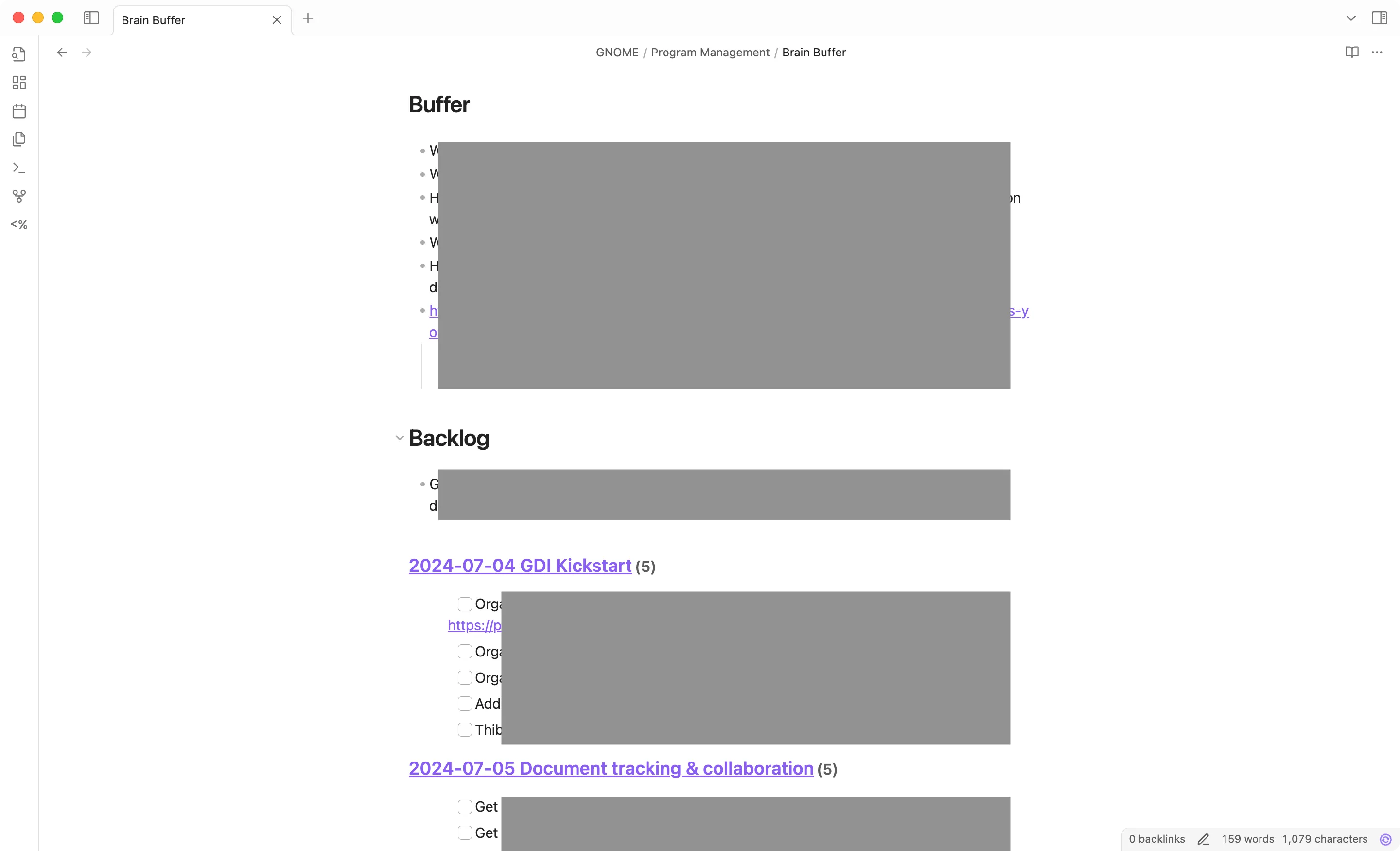
Ticking a box in the task list marks it as completed in the work notes from which it was pulled. The work notes remain the canonical source of truth.
Reporting
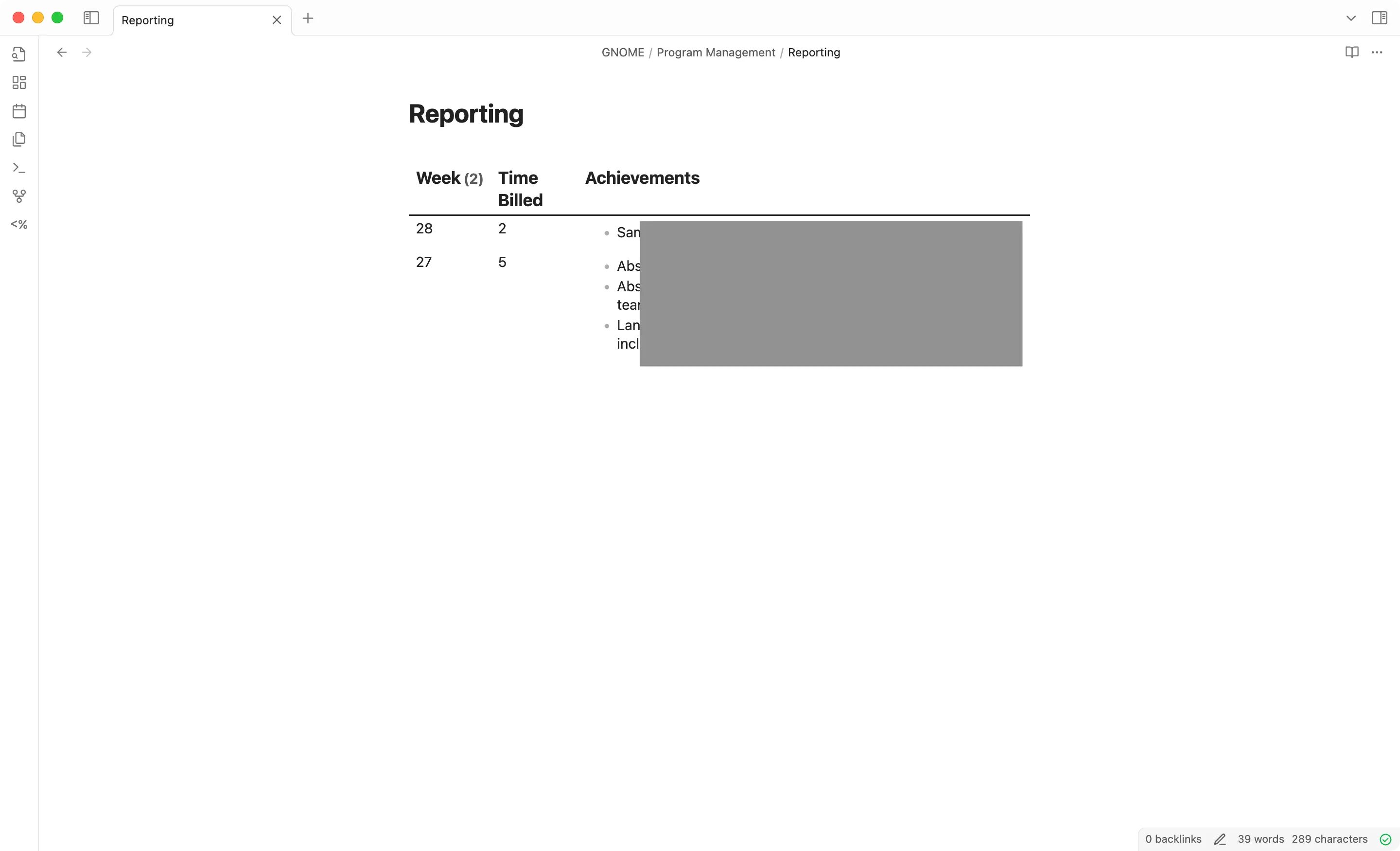
The Reporting.md file consists of a single dataview query that consolidates for every week the sum of billable hours I spent on the project and all the outcomes of that work. The following query works for me.
```dataviewTABLE sum(rows.file.frontmatter.duration) + sum(rows.file.frontmatter.preptime) AS "Time Billed", rows.file.frontmatter.achievements AS "Achievements"FROM "GNOME/Program Management/Work Notes"GROUP BY date(file.frontmatter.date).weekyear AS "Week"SORT Week DESC```The file looks like this in Obsidian
Alternatives considered
Spreadsheets
Spreadsheets are commonly used in project management. They are very flexible and allow their authors to track hours and progress. However, they are not great at storing longer texts, such as meeting minutes or notes. Some suites like Google Workplace make it easier to link to external documents containing notes, but that makes the solution particularly prone to vendor lock-in: the suite is not open source, and while it supports exporting to an open format, you lose the links between documents in the process.
On the opposite, Obsidian puts notes front and centre. The metadata in the frontmatter is an addition to the text; the only magic comes from the open source plugin dataview. As noted in the introduction, it’s important to remember that dataview queries only work in Obsidian, as far as I know when writing this post. Still, the format is open, and the plugin is open source.
Ticket tracker
Software forges (GitHub, GitLab, Forgejo) or project management tools like Jira or even OpenProject are also frequently used to manage projects. Those are fully-fledged and opinionated solutions. They focus more particularly on the “meta” aspect of the project, with task tracking, weighing and assignment. The meat of the project lies elsewhere (e.g., in a git repo for a software project). Those are also frequently web-based solutions that will only work when online.
In my case, the meat of the project is the notes. A solution that can automatically create a dashboard from my notes is more than enough. It works locally and offline in a format that is mostly interoperable.





 Comments