Google Docs can preview suggestions
 Last modified February 18, 2025
Most of our organizational and operational knowledge at work is stored in a Bookstack instance that we completely control. Bookstack is a great tool for this purpose, but it’s not a silver bullet when it comes to document editing. Its most notable limitation is that it doesn’t handle concurrent editing really well.
I self-host a HedgeDoc instance for my personal needs, but it also has its own limits. It only supports markdown and it doesn’t support fine grained permissions to different files.
I spent some time looking for alternatives, but Google Docs is hands down the best collaborative document editing suites out there for whoever has to work with people who are not engineers, at a company scale.
It’s far from perfect though. One of its useful features is the “suggestion” mode that lets someone suggest additions/deletions in the document without making any definitive change. The document owner can then review those suggestions and accept or decline them.
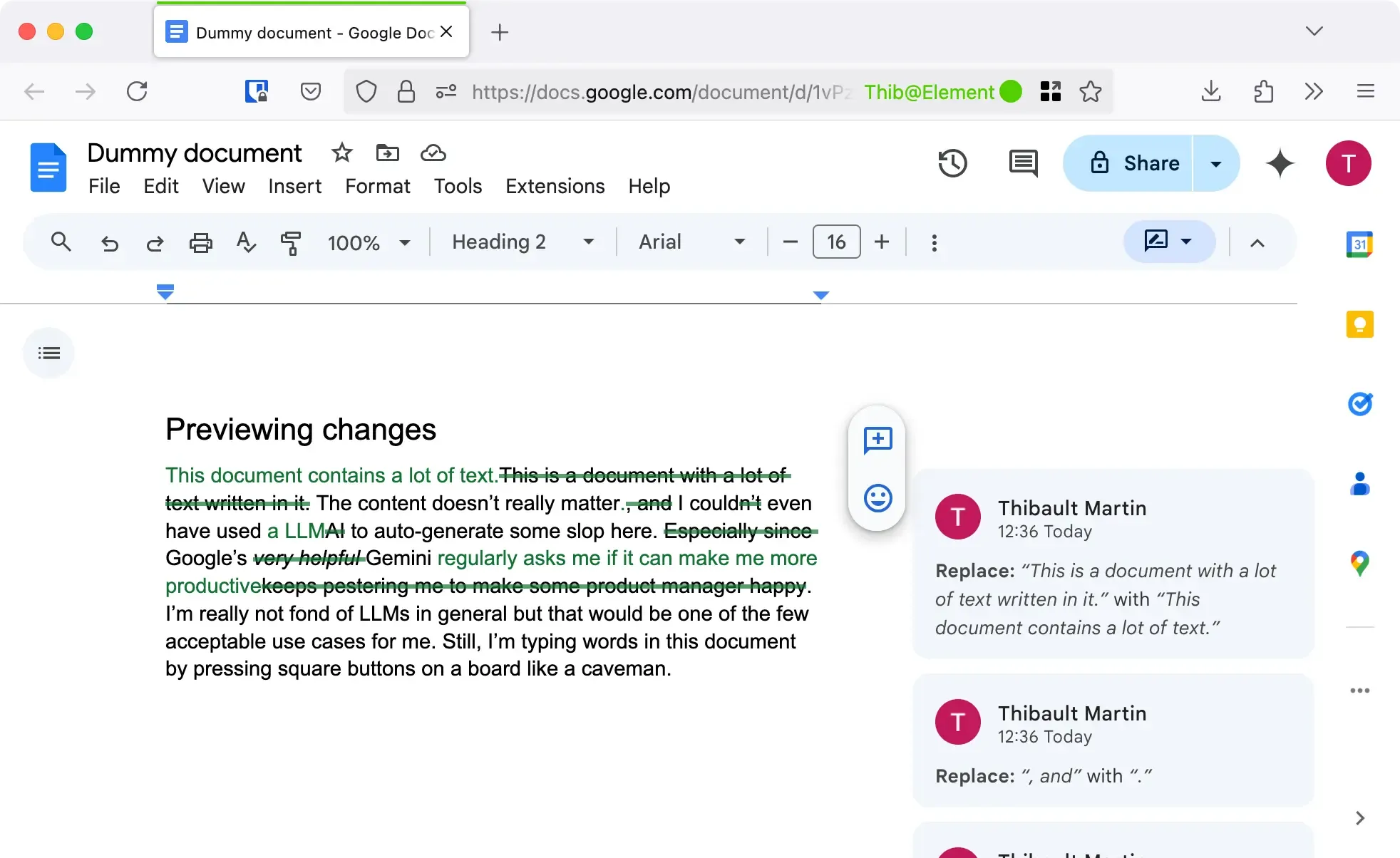
Suggestions can add up pretty quickly (depending on how nitpicky your reviewer is 🤭) and rapidly make the document unreadable. Fortunately there’s a way to preview how the document would look like if all the suggestions got accepted (or declined).
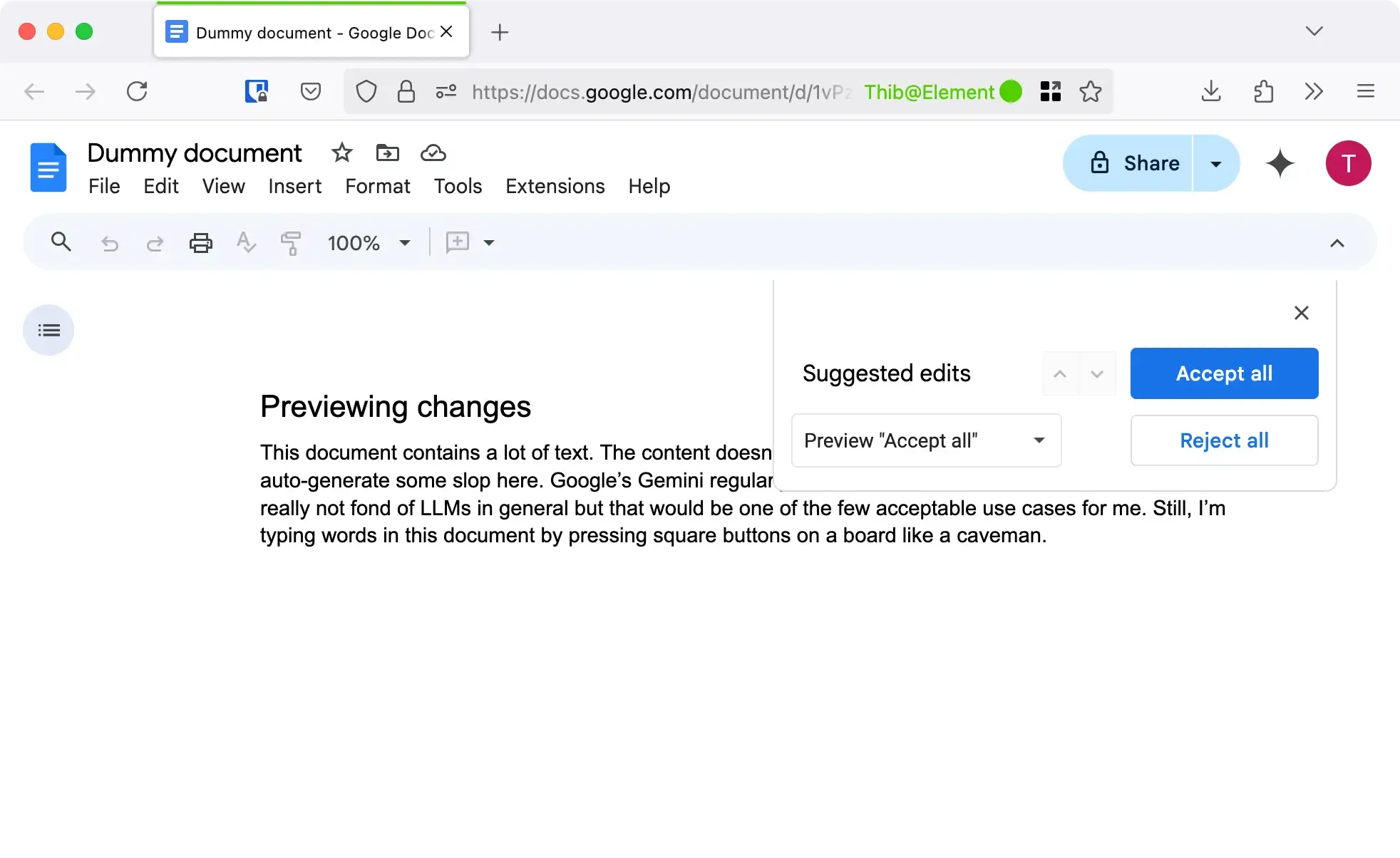
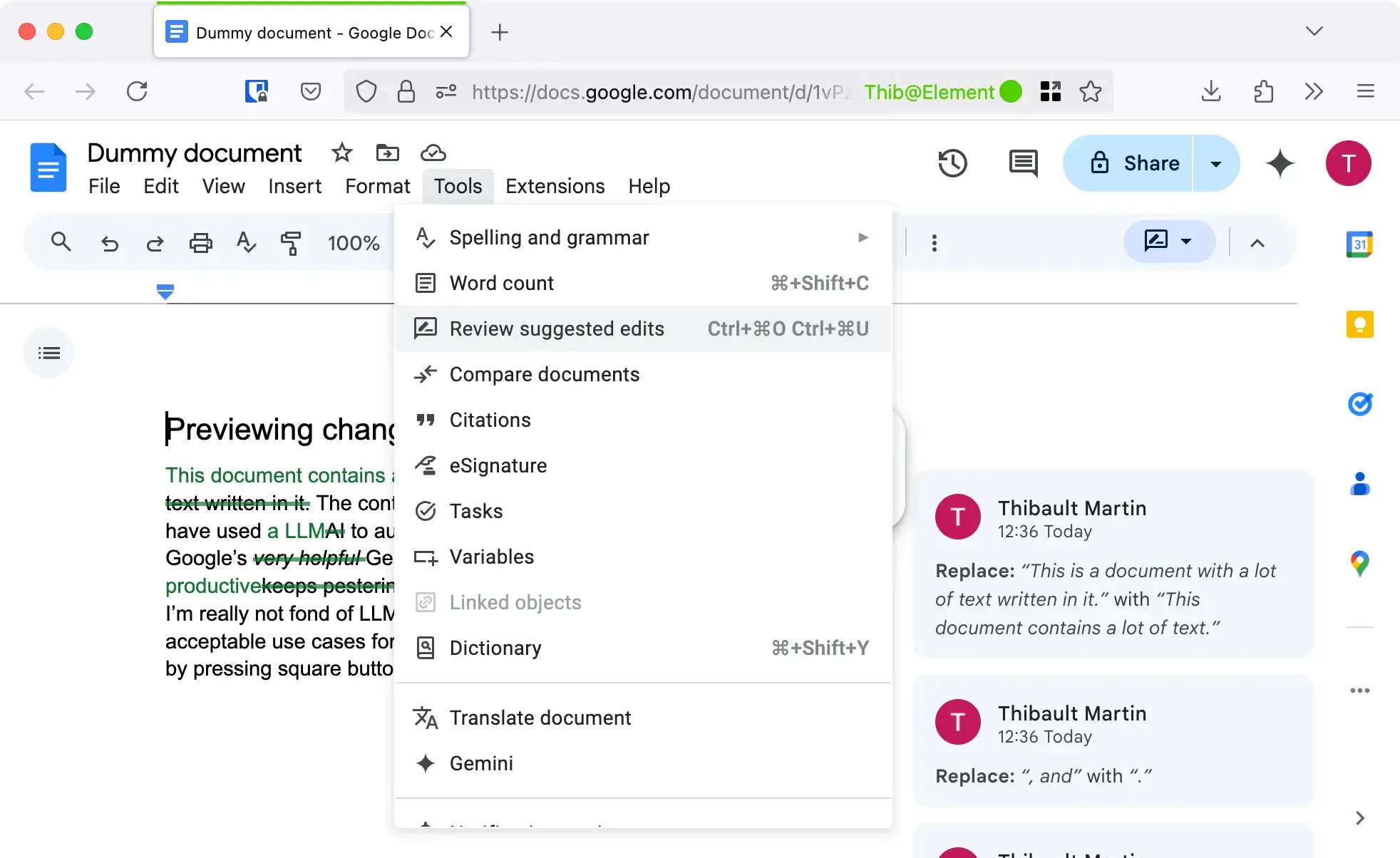
This very handy dandy tool is located under the Tools > Review suggested edits menu.





 Comments